Geometry-Instructed Video Editing

A unified framework for object-level geometric video editing with compact, video-aligned pre/post geometry instructions.

PDF arXiv Code (coming soon)

Project Overview

Unified geometric control across object-level video editing tasks.

overview
Core Representation

Unified Pre/Post Geometry Instructions

GIVE represents an edit as a transition between pre-edit and post-edit 3D object states. The trajectory case below is one example of the shared interface used across editing operators.

01 / Input

Object and intent

Identify the target and desired state change.
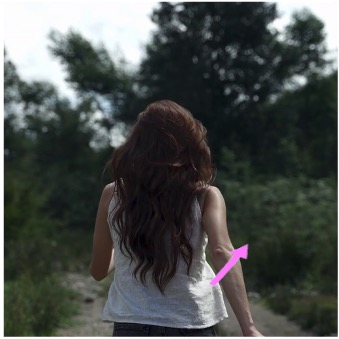
Target object and editing intent overlay
02 / Pre-state

Current geometry

Encode the object's current placement, extent, and orientation.

Depth-box
Orientation-box
03 / Post-state

Target geometry

Specify the intended object state across viewpoint and time.

Depth-box
Orientation-box
04 / Output

Edited video

Execute the specified state transition while preserving the scene.

Training Supervision

Procedural Paired Data

A graphics engine executes sampled edit programs and renders controlled before/after training pairs.
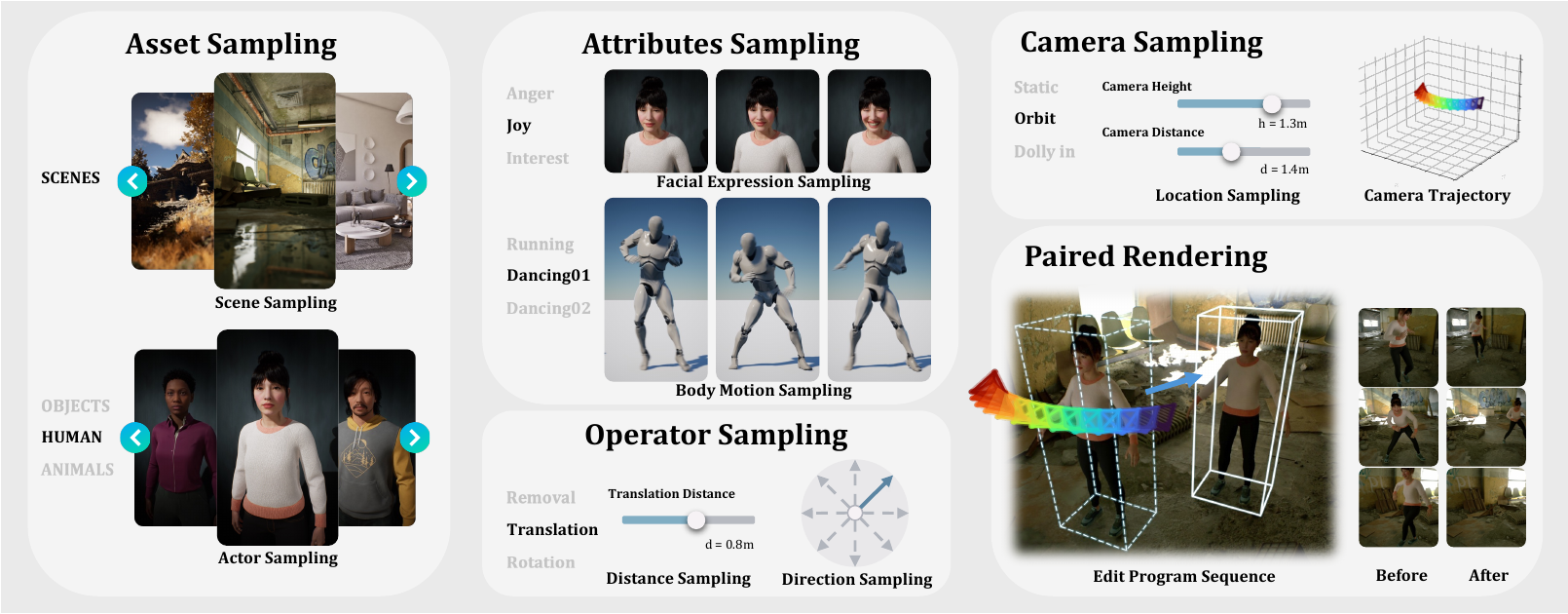
Procedural pipeline for asset, attribute, camera, operator, and paired rendering sampling
Matched rendering isolates the intended geometric edit while keeping scene conditions aligned.
Qualitative Results

Side-by-Side Video Comparisons

Compare the same input and edit intent across applicable methods.

Each comparison uses the same source video and edit intent. The number of baselines varies because different methods support different operators and input interfaces.

Removal

Case 1

Instruction text placeholder.
Compact visual instruction shown below.
Aligned window Videos are temporally aligned for comparison.
Editing Behaviors

More Capabilities

These examples complement the side-by-side comparisons by highlighting targeted capabilities: edit-consistent secondary effects, flexible 3D trajectory control, and controllable rotation angles.